
Here’s a step-by-step guide on how to change existing affiliate links after installing a PLR blog. It’s so easy it won’t take you thousands of hours. Promise.
http://yourdomain.com/wp-admin
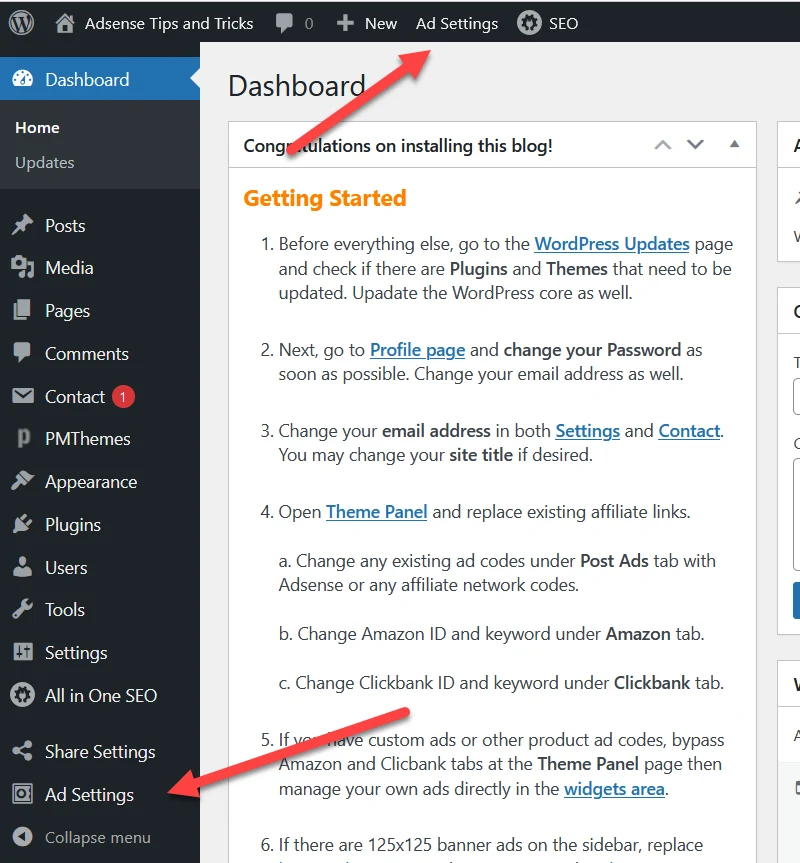
You will see these four sections:
- ADS Settings and Replacement Panel
- Post Content Ads
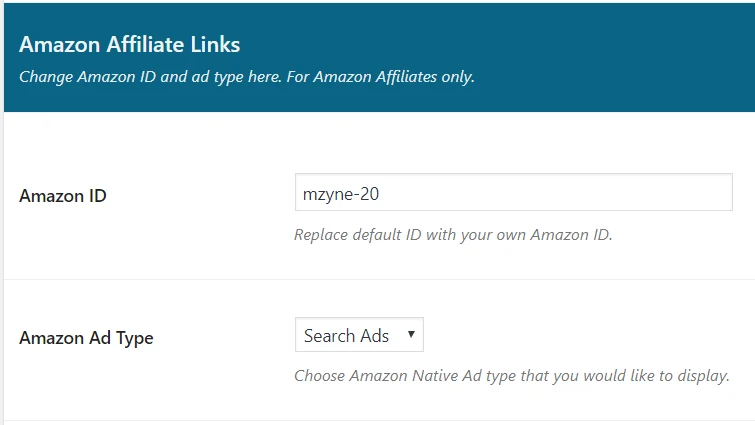
- Amazon Affiliate Links
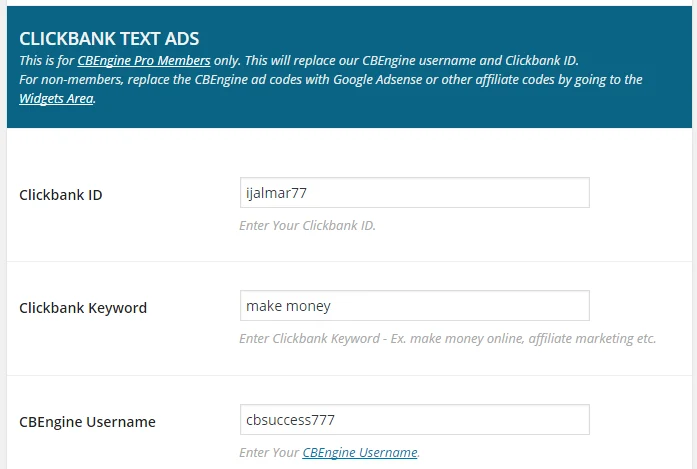
- CLICKBANK TEXT ADS
- REPLACE AFFILIATE LINKS
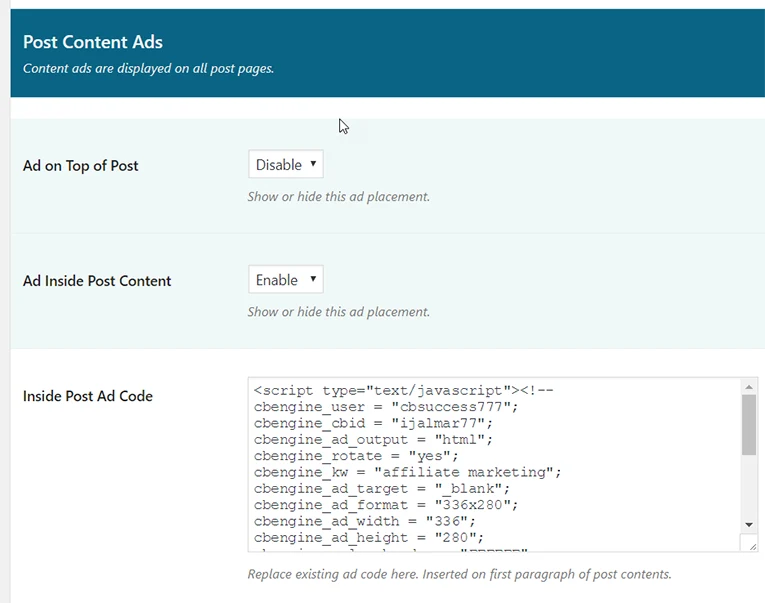
Please take note that this is for the text ads only (if there are any). It’s NOT a requirement to join CBEngine.
Generate your own encoded Clicbank affiliate links and replace Affiliate Link #1 and Affiliate Link #2 fields as needed.
Don’t forget to click Save Changes button!
That’s all you need to do here.
Common Questions
How do I generate encoded Clicbank affiliate links?
Follow this tutorial: Generate Your Own Encoded Clickbank Affiliate Links
How do I Change Banners?
Follow this tutorial: How to Change Banners and Affiliates Links With Your Own
I don’t want to use Clickbank, how do I change affiliate offers?
The answer is here: How to Change Banners and Affiliates Links With Your Own
A Clickbank affiliate offer is no longer existing, how to change it?
See the solution here: How to Change Banners and Affiliates Links With Your Own
I changed the Amazon affiliate id in ADS Settings, but does not seem to reflect in Amazon store page. What to do?
Please read this guide: How to Change Amazon ID or Change Amazon Ads on Posts